
Post published: March 31, 2026 11:12 am
Author: Yury Parfentsov
Total views: 68
Reading time: 11.9 min
In this article
The average small or mid-sized business runs somewhere between 25 and 50 SaaS tools. Everyone knows this number is growing. What gets less attention is what actually happens inside the company that uses all of them – and why CRM workflow automation remains broken even when every individual tool works fine.
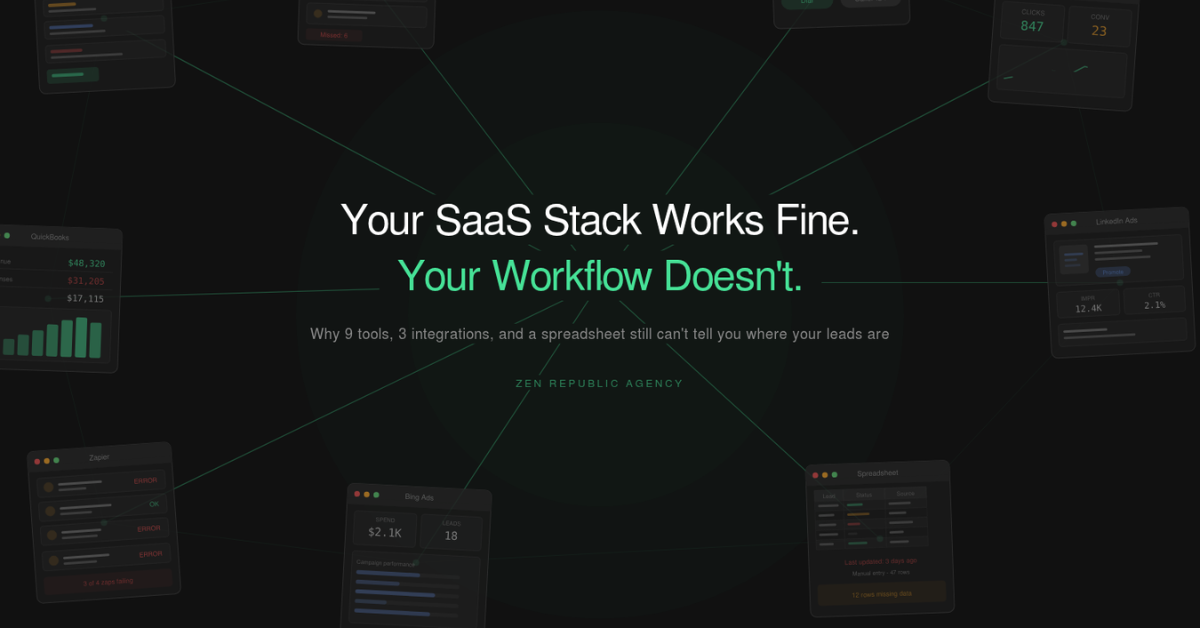
Take a real scenario. A home services company, about 15 people, steady growth. Their stack looks like this: Method CRM for managing leads and customers, CallRail for call tracking and attribution, RingCentral for telephony, QuickBooks for accounting, and ad campaigns running across Google Ads, Bing Ads, and LinkedIn. Each tool was chosen for a reason. Each one does its job. The problem is that none of them do their job together.
What fragmentation actually looks like
A lead comes in through a Google Ads campaign. CallRail captures the call on a tracking number and routes it to a sales rep. The rep talks to the prospect, takes notes, and needs to follow up later. Simple enough – except now the rep has to figure out which caller ID to use when calling back. The prospect saw a specific number on the ad. If the rep calls from their direct RingCentral line, the prospect doesn’t pick up – they don’t recognize it. So the rep has to go into CallRail, look up which tracking number the lead originally called, then go into RingCentral, manually set that number as their outbound caller ID, and then make the call. After the call, they switch to Method CRM and log the activity.
That’s one call. Multiply it by 30 or 40 calls a day, across several reps, and the overhead becomes significant. Not because any single step is hard, but because the mental load of constantly switching between systems, remembering which tool handles what, and manually transferring context adds up. Things get missed. Not because people are careless – because the process itself is designed to produce errors.
Now step back and look at this from the manager’s perspective. They want to know how many leads came in today, how many were contacted, how many are stuck, and where the pipeline is leaking. This information exists – but it’s scattered across CallRail’s call log, Method CRM’s lead statuses, and whatever notes reps left in various places. To get a real picture, someone has to pull data from multiple systems and reconcile it manually. By the time that’s done, the picture is already outdated.
This is the daily reality of SaaS fragmentation. Not a dramatic crisis – just a constant, grinding tax on everyone’s time and attention.
The Zapier ceiling
The natural response to this kind of problem is automation. And the first tool most people reach for is Zapier – or Make, or any of the no-code integration platforms. For simple, linear workflows, they work well. New contact in CRM triggers a welcome email. Form submission creates a task. Straightforward cause and effect.
But business processes are rarely that clean. A real sales workflow involves conditional logic: if the lead came from this campaign and their company size is above a certain threshold and they haven’t been contacted in the last 48 hours, route them to a senior rep and flag them as priority. It involves data transformation: the phone number format in CallRail doesn’t match what RingCentral expects. It involves validation: before changing a lead’s status, check that certain fields are populated and the activity log has a recent entry.
In Zapier, this turns into a chain of 10-15 steps with filters, formatters, and branching paths. When it works, it’s fragile. When it breaks – and it breaks whenever any of the connected APIs change their response format or rate limits – debugging is painful. You’re staring at a visual flowchart trying to figure out which step silently failed and why your leads stopped syncing three days ago.
At a certain point, the honest assessment is: it would be faster and more reliable to write this in Python. You’d have proper error handling, logging, version control, and the ability to test changes before they go live. The irony is that Zapier was supposed to eliminate the need for a developer, but for anything beyond basic triggers, you end up needing one anyway – and now they’re debugging Zapier flows instead of writing clean code.
The all-in-one trap
The other common response is to ditch the fragmented stack and consolidate. Move everything to HubSpot, or Salesforce, or whatever platform promises all the modules under one roof. On paper, it makes sense. One system, one data model, one login.
In practice, the story goes like this. The migration takes months. During that time, the business runs on two parallel systems, which is worse than running on one messy one. The new platform costs significantly more – enterprise pricing for features you’ll actually use maybe 40% of. And once you’re in, you discover that the generic modules don’t quite fit your process. The telephony integration doesn’t support the specific caller ID routing you need. The call tracking module doesn’t attribute at the granularity your marketing team requires. The billing workflow doesn’t match how your accounting team actually operates.
So you start customizing. You hire a consultant or an in-house admin. You build custom objects, custom fields, custom automation rules. Six months later, you’ve essentially built a bespoke system – just inside a more expensive and more rigid container. And you’re now locked into a vendor with enterprise-tier pricing and a migration path that gets harder the more you customize.
For large enterprises with dedicated ops teams, this can work. For an SMB with 10-30 people, the cost-benefit rarely makes sense.
The problem nobody talks about: enforcement
But here’s what I think is the most underappreciated problem in all of this, and it applies equally to fragmented stacks and unified platforms.
Even if you set up the perfect system – all the right fields, all the right automations, beautifully documented playbooks, thorough training for every employee – the data still degrades over time. Because people.
One rep fills out all the fields correctly. Another skips the ones that seem optional. A third puts freeform text where there should be a dropdown selection. Someone marks a lead as “contacted” before actually making the call, planning to do it after lunch – and then forgets. Another rep interprets “qualified” differently than the playbook defines it.
This isn’t a training problem. You can retrain the team every quarter, and within weeks the same patterns re-emerge. It’s a system design problem. Modern CRMs are built to describe a process – they let you define stages, fields, and workflows. But they don’t enforce them. There’s no mechanism that says: you cannot move this lead to the next stage until you’ve logged a call and filled out these three fields. There’s no prompt that reminds you at 4 PM that you have six leads from this morning that still haven’t been touched.
The result is data entropy. Slowly, invisibly, the gap between what your CRM says and what’s actually happening widens. Reports become unreliable. Pipeline forecasts drift from reality. And when management makes decisions based on this data, they’re working with a distorted picture.
CRM workflow automation without replacing your stack
Working with our clients, we arrived at an approach to CRM workflow automation that addresses all three layers – fragmentation, automation complexity, and enforcement – without replacing anything in the existing stack.
The architecture has three components. A Chrome extension that serves as the unified interface for employees. A backend service that connects to every SaaS tool in the client’s stack via their APIs, handling data orchestration and business logic. And an enforcement engine built into the extension that actively guides users through the correct process and tracks task completion.
The Chrome extension is a deliberate choice. It meets employees exactly where they already work – in the browser. There’s no new application to learn, no new tab to keep open, no separate mobile app to install. The extension surfaces the right information and the right actions in context, pulling data from across the stack and presenting it through a single, purpose-built interface.
The backend is where the complexity lives, and it’s complexity that employees never see. All the API integrations, data transformations, validation rules, and conditional logic are handled server-side. When CallRail’s API changes a field name, we update one connector in the backend. The extension continues to work exactly as before. This is a fundamentally different maintenance model than Zapier, where a change in one tool can cascade through dozens of connected flows.
But the piece that makes the biggest difference is the enforcement layer. This isn’t about restricting employees or micromanaging their work. It’s about removing the cognitive burden of remembering what needs to happen next. The extension knows which leads haven’t been contacted. It knows which follow-ups are overdue. It surfaces the next action proactively, and it records every step automatically. The process isn’t documented in a playbook that lives in a Google Doc nobody reads – it’s embedded directly in the tool people use every day.
Sales workflow automation in practice
Let me walk through what this changed for one client’s sales team.
Before: A sales rep starts the day by checking CallRail for missed calls, then Method CRM for new leads, then their email for form submissions. They compile a mental list of who to call. For each outbound call, they look up the original tracking number in CallRail, set the caller ID in RingCentral, make the call, then go back to Method CRM to log the outcome. Leads that don’t answer go on a mental or handwritten list for follow-up. Some of those follow-ups happen. Some don’t – and nobody notices until the lead has gone cold.
After: The rep opens the extension and sees a unified lead queue – every new lead from every source, in one list, sorted by priority. To make a call, they click one button. The extension already knows which caller ID to use based on the lead’s source; it handles the RingCentral integration automatically. The call outcome is logged to Method CRM without the rep doing anything.
Leads that weren’t reached don’t disappear into a mental list. They appear in the extension’s follow-up queue with an interactive playbook: call attempt #1, wait 2 hours, attempt #2, send SMS, wait 24 hours, attempt #3, send email, and so on. Each step is presented to the rep at the right time, and every action is recorded. The rep doesn’t need to remember the process – they just follow the next step the extension shows them.
For management, the transformation is equally significant. Instead of piecing together reports from three different systems, they see real-time pipeline data that reflects what’s actually happening – because the data was captured automatically at each step, not entered manually after the fact.
Common questions, honestly answered
“Isn’t this just building a custom CRM?”
No, and the distinction matters. A custom CRM means replacing your existing tools, migrating data, and maintaining an entire platform. What we build is a layer on top of your existing stack. Method CRM stays. CallRail stays. RingCentral stays. QuickBooks stays. Every tool continues to function independently. The extension adds a unified interface and enforcement logic over all of them. If you decide to switch from CallRail to CTM tomorrow, we update one backend connector. Your team’s workflow doesn’t change.
“What about maintenance? APIs change, things break.”
They do, and this is a legitimate concern. The key difference is architecture. In a Zapier-based setup, business logic is distributed across dozens of individual flows, each one a potential failure point. In our architecture, business logic lives in the backend as structured code – versioned, testable, and modular. When an API changes, the fix is isolated to a single connector. We also monitor API responses proactively, so we typically catch issues before they affect the workflow.
“Won’t AI agents make this whole approach obsolete?”
This is probably the most common question we get right now. And the answer is nuanced. AI is exceptionally good at certain things – summarizing calls, drafting follow-up emails, identifying patterns in data, suggesting next actions. We actually use AI components in some of our implementations. But AI is not good at process compliance. You don’t want an AI deciding whether to skip a follow-up step. You don’t want probabilistic judgment on whether a lead status should be updated. You want deterministic, predictable workflows where the right thing happens every time. The enforcement layer is fundamentally about structure and predictability – exactly the things that AI is not designed to provide. The best implementations use both: structured workflows for process, AI for augmentation within those workflows.
“Can’t we just train our team better?”
You can, and you should. But training addresses knowledge. Enforcement addresses behavior. Everyone who’s driven a car knows they should check their mirrors before changing lanes. The reason modern cars have blind spot monitoring isn’t because drivers are poorly trained – it’s because even well-trained humans are inconsistent. The same principle applies to CRM usage. Your reps know they should log every call. An enforcement layer makes sure it actually happens, every time, without relying on memory and discipline alone.
When this approach makes sense
This isn’t the right solution for every situation. If you’re a team of three people and you’re still figuring out your basic processes, you don’t need an interface layer – you need to pick the right tools and define your workflows first.
But if you have a team of 5 or more people doing repetitive work across 3 or more SaaS tools, if you’ve already invested in your stack and it mostly works but the human layer is where things fall apart, if you’ve tried Zapier and hit the ceiling on business software integration, if your CRM data doesn’t match reality – this is exactly the problem this architecture was designed to solve.
It’s not about replacing your tools. It’s about making them work as a system instead of a collection of parts.
If you’re dealing with SaaS fragmentation and want to explore whether an interface layer approach would work for your team, reach out for a free workflow audit. We’ll map your current stack, identify the highest-friction points, and show you what’s possible – no commitment required.



